
Use Users to give someone access to Raizzon One. Their user role controls what they can do, and their location access controls where they can work.
Create the user
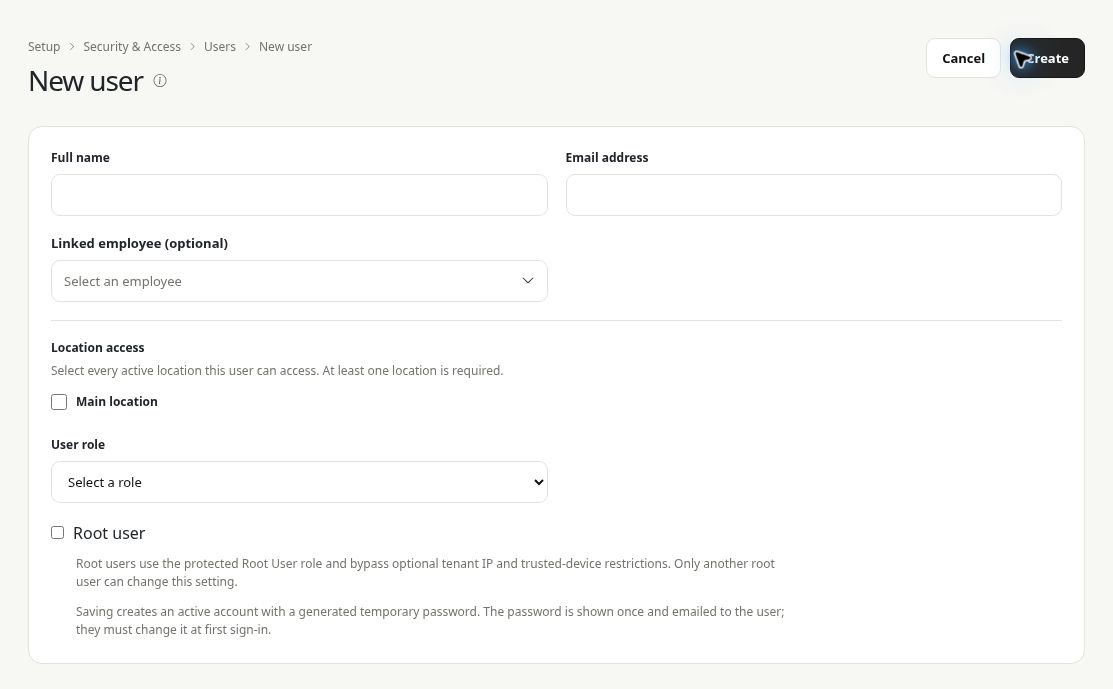
- Open Setup → Security & Access → Users and select Add user.
- Enter the user’s Full name and Email address. Check the address before creating the account because Raizzon One sends the temporary password there.
- If the user already has an employee record and you want to connect it to their sign-in account, select it in Linked employee.
- Under Location access, select each active location the user needs. A standard user needs at least one location.
- Select the User role that matches their responsibilities. Review their role and locations before selecting Create.
First sign-in
Raizzon One creates an active account and generates a temporary password. It shows the password once and emails it to the user. The user signs in with their email address and temporary password, then changes the password at first sign-in.