
Use a manual journal to enter an accounting adjustment. Before starting, check that you’re working in the location where the journal should be recorded.
Create the journal
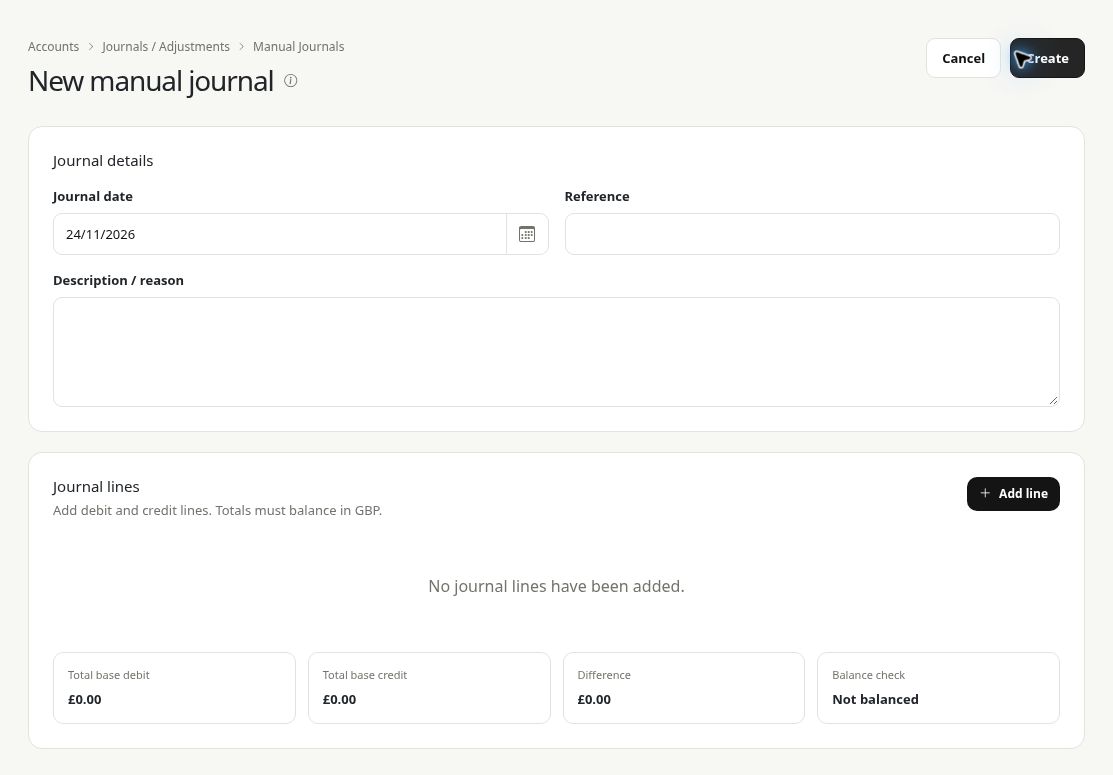
- Open Accounts → Journals & Adjustments → Manual Journals and select Add journal.
- Enter the Journal date and Description / reason. Add a Reference if it will help identify the adjustment.
- Select Add line for each journal entry. Choose the account and enter the amount in Debit or Credit.
- Check Total base debit, Total base credit and Balance check. The debit and credit totals must match in the base currency.
- Select Create to save the journal.
Review and post the journal
Open the saved journal and check the accounts, amounts and reason. Select Submit for review when available. Depending on the journal status and your access, the next action may be Approve and post or Post journal.
If an action starts with Request:, follow the approval prompt and check the journal again after the request is reviewed. Check that the journal status is Posted before treating it as posted to the ledger.