
A payroll period defines the dates a payroll run covers. You need an open period for the legal entity before you can save a payroll run draft.
Create the period
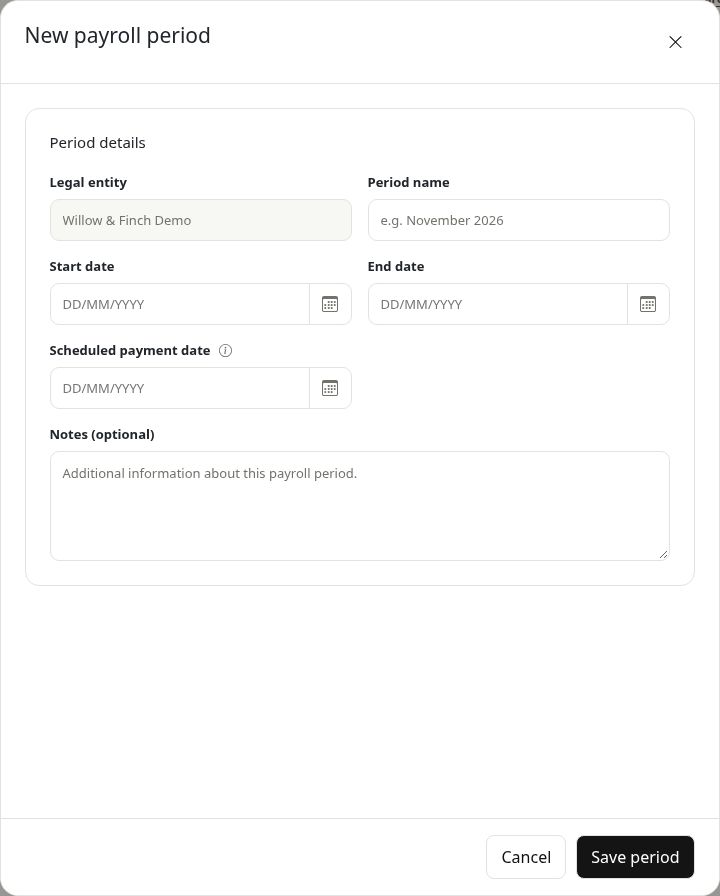
- Open HR & Payroll → Payroll → Periods and select New period.
- Check the Legal entity. If it’s incorrect, switch to a working location for the intended legal entity before continuing.
- Enter a Period name that makes the period easy to identify, such as November 2026.
- Enter the Start date and End date. The end date must be on or after the start date.
- Enter the Scheduled payment date and add any Notes that will help your payroll team.
- Select Save period.
Use the period for a payroll run
Check that the period is Open, then follow Create a payroll run draft.
If the period is closed and you need to use it again, open it and select Reopen period when available. Follow any approval prompt and check that the period is open before returning to the run.