
Set up HMRC MTD VAT for the company whose VAT information you want to retrieve or submit through Raizzon One.
Create the company integration
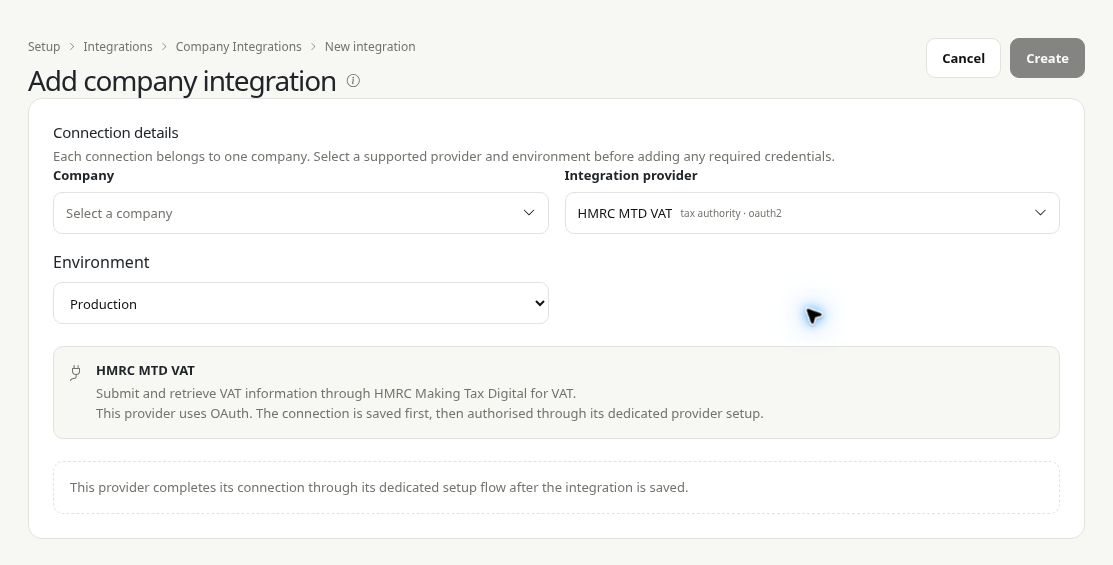
- Open Setup → Integrations → Company Integrations and select Add integration.
- Select the Company and choose HMRC MTD VAT as the Integration provider.
- Choose Sandbox for testing or Production for live use.
- Select Create to save the integration.
Authorize the connection
- Open the saved integration and select Connect to HMRC.
- Follow the prompts on HMRC’s site to sign in and authorize the connection, then return to Raizzon One.
- Check the connection status on the saved record. If Enable integration is available, select it when you’re ready to use the connection.
- If you need to authorize the connection again, use Reconnect HMRC when shown.
Once the integration is connected and enabled, return to your VAT workflow in Raizzon One.