
Set up Malaysia MyInvois for the company that will issue e-invoices. Have the Client ID and Client Secret from that company’s ERP registration in MyInvois ready for the environment you intend to use.
Add the company integration
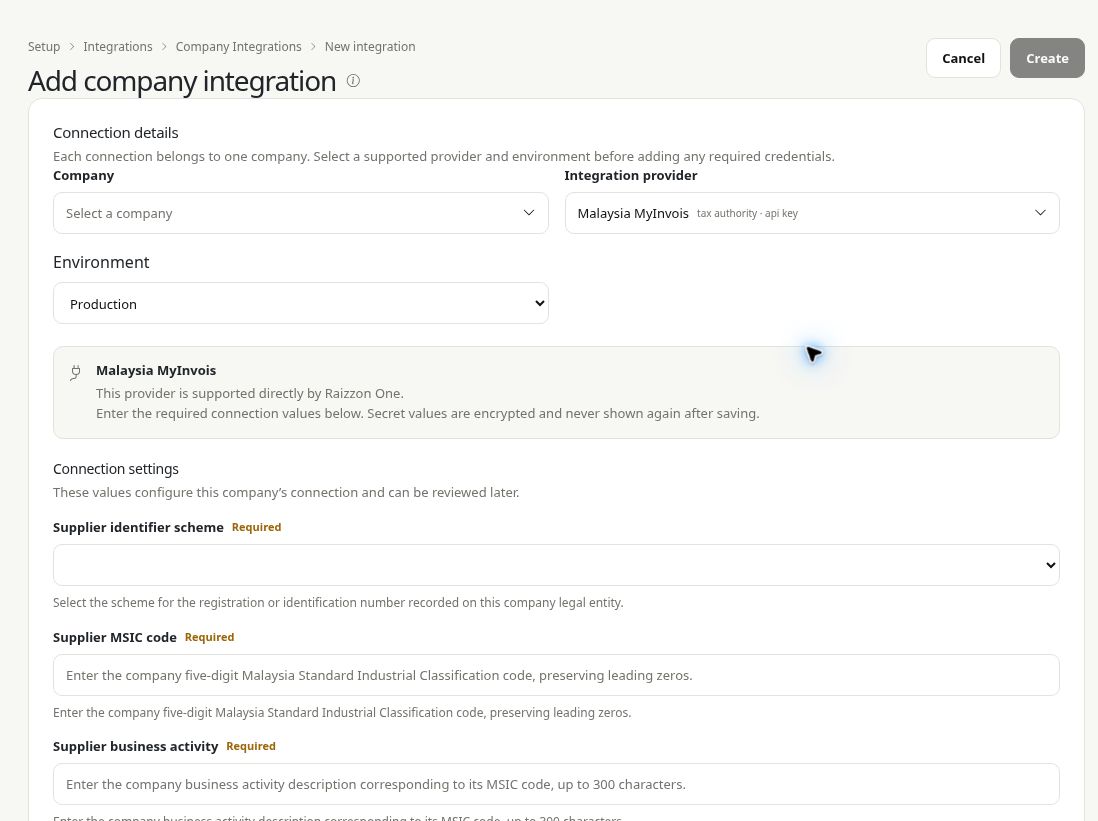
- Open Setup → Integrations → Company Integrations and select Add integration.
- Select the Company and choose Malaysia MyInvois as the Integration provider.
- Select Sandbox for testing or Production for live use. Use credentials issued for that environment.
- Choose the Supplier identifier scheme that matches the registration or identification number already recorded for the company.
- Enter the company’s five-digit Supplier MSIC code, including any leading zeros. Enter the matching activity description in Supplier business activity.
- Under Credentials, enter the Client ID and Client Secret, then select Create.
Verify and enable the connection
Open the saved integration and select Verify MyInvois when available. If verification fails, check the selected environment and the configured Client ID and Client Secret, then try again.
Once verification succeeds, select Enable integration when you’re ready to use the connection.