
Use Items to manage the products your business sells or purchases. Before creating a product, search the catalogue to see whether it already exists.
Create the product
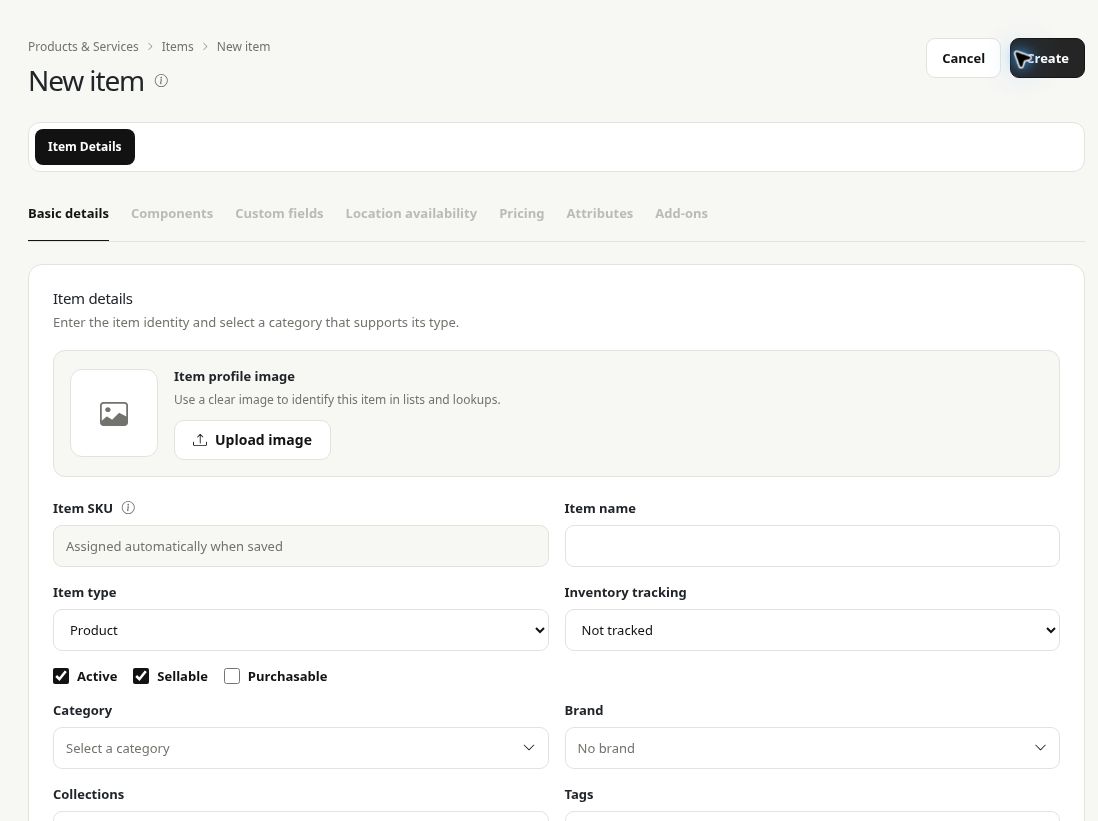
- Open Products & Services → Items and select Add item.
- Enter the Item name and choose Product as the Item type.
- Select the Category and review the Unit of measure. Choose the unit your team will use to enter quantities for this product.
- Review Inventory tracking and check whether the product should be Sellable, Purchasable, or both.
- Select Create.
Review pricing and location availability
Open the saved product and go to Item Details.
- Open Pricing to review or configure the prices your team should use.
- Open Location availability to review where the product is available.
- Return to Basic details if you need to correct the name, category or unit of measure.
If Add item is missing
Ask your workspace administrator to check whether your role can create items.