
Raizzon One lists suppliers under Vendors in Purchases. Vendor records are part of the shared People directory.
Create the supplier record
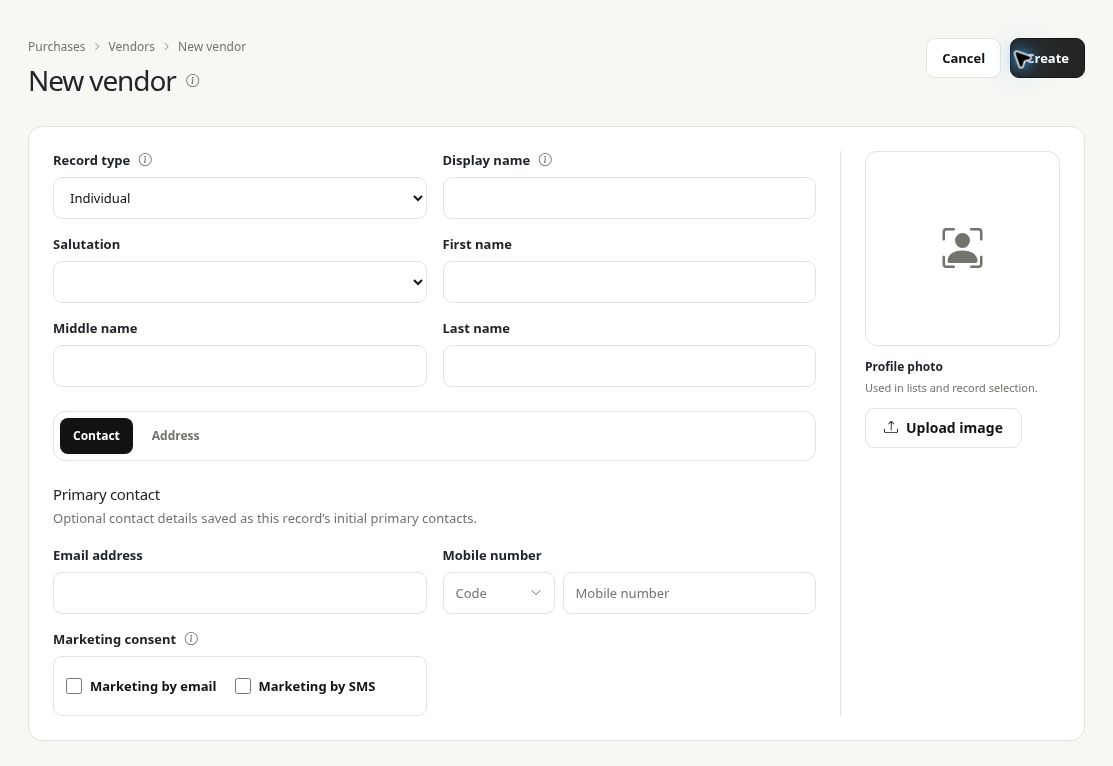
- Open Purchases → Vendors.
- Search for the supplier by name. If you find their record, open it and check its details before creating another.
- Select Add vendor.
- Under Record type, choose Individual for a person or Organisation for a company or other organisation.
- Enter a Display name your team will recognise when searching for the supplier. For an organisation, enter its Organisation name as well.
- Enter the contact details you have and select Create. Follow the prompt if the app asks you to submit changes for approval.
Review the supplier before using it
Open the saved vendor and check Basic details. Use Addresses to record or verify the addresses your team needs for purchasing.
If Add vendor is missing, ask your workspace administrator to check whether your role can create vendor records.