
Use Identifiers to record official numbers associated with a person or organisation, such as a supplier’s tax registration number. Open the People record that the identifier belongs to before adding it.
Open the identifier form
- Open People, find the person or organisation and open its record.
- Go to Basic details → Identifiers. Check the existing entries so you can correct an existing identifier if it’s already recorded.
- Select Edit → Add identifier.
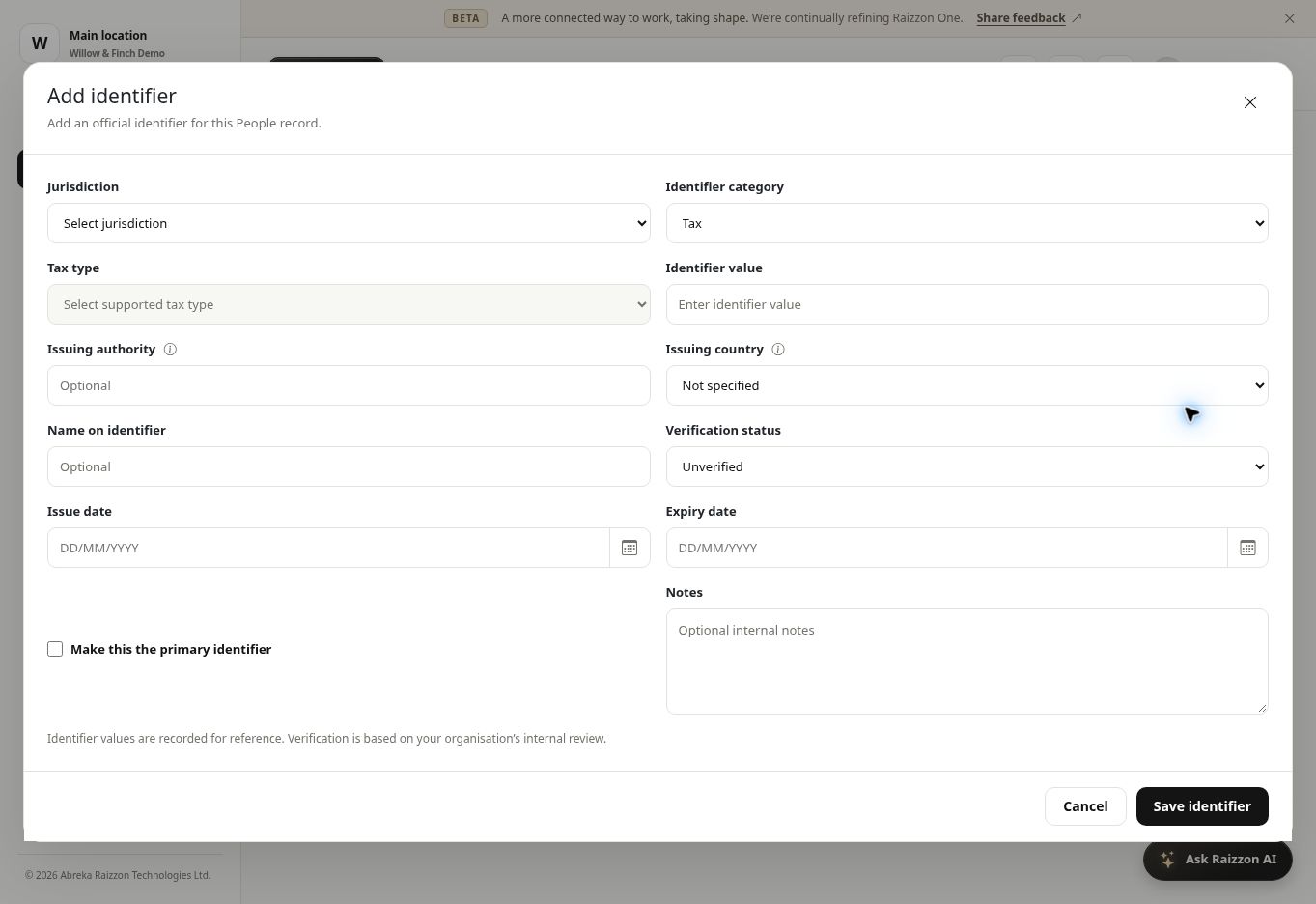
Enter the identifier details
- Choose Jurisdiction and Identifier category. If the form enables Tax type for your selection, choose the applicable tax type.
- Enter the number exactly as it appears on the supporting document in Identifier value.
- Fill in Issuing authority, Issuing country and Name on identifier where applicable. Check the name against the supporting document, especially if the organisation uses a separate trading name.
- Enter Issue date and Expiry date if those dates apply. Use the format shown in the fields or choose the dates from the calendar.
- Add Notes if your team needs context, such as where to find the supporting document.
Set the verification status and save
| Verification status | When to use it |
|---|---|
| Unverified | The identifier has been recorded and is awaiting your team’s review. |
| Verified manually | Your team has reviewed the identifier against its supporting information. |
| Invalid | Your team has determined that the identifier is invalid. |
| Expired | The identifier is past its validity period. |
Verification status records the outcome of your organisation’s internal review. Select Make this the primary identifier if this entry should be marked as primary on the record.
Select Save identifier, then check the saved category, value, verification status and primary designation. For Indian GST billing, also check the primary address so the country and state are available for GST component matching.
If Add identifier is missing, check that you’re in edit mode. If Edit is also missing, ask your workspace administrator to check your access.