
Attach a document to the record it belongs to so your team can find it later. For example, attach a company registration certificate to the company record or a site-specific licence to the location record.
Open the document form
- Open the record the document belongs to. Check the name or reference before continuing.
- Open Documents and check for an existing entry. If you’re recording a renewal, compare the title and expiry date with the file you’re about to add.
- Select Add document to open New document. If the record opens in view mode and has an edit or amendment workflow, check that workflow for the document action.
The screenshot shows a company record. The record name and navigation path vary by module.
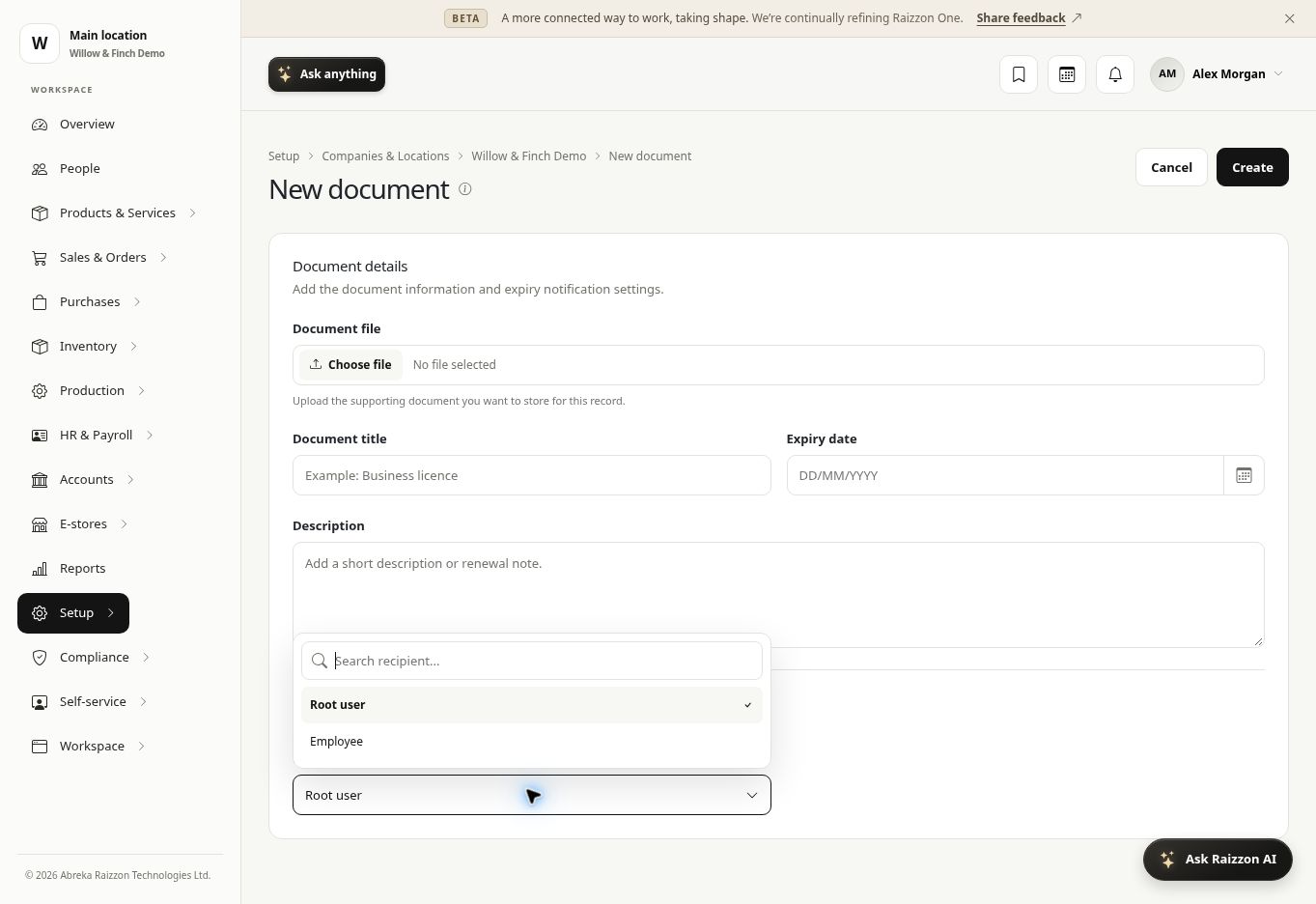
Enter the document details
| Field | What to enter |
|---|---|
| Document file | Select Choose file, pick the file and verify the displayed filename. |
| Document title | Use a title that identifies the document in the list, such as Warehouse operating licence. |
| Expiry date | If the document expires, enter the date shown on it using the format shown in the field, or pick the date from the calendar. |
| Description | Add context that will help someone identify or renew the document, such as its reference number or what it covers. |
Choose an expiry notification recipient
If the form shows Expiry notification, open Notify. Choose Root user if that user handles the renewal, or choose Employee if a specific employee is responsible. Review the recipient and expiry date together before saving.
Create and verify the document
- Check the record, filename, title and any expiry settings.
- Select Create on the New document form.
- Return to Documents on the originating record and check that the new entry appears. Open it and verify the file and expiry date.
If Add document is missing, check whether you’re in the right record and whether it needs to be opened for editing or amendment. If the action is still unavailable, ask your workspace administrator to check your document access for that module.